INCLINEO remote display1.3.1
Publisher Description
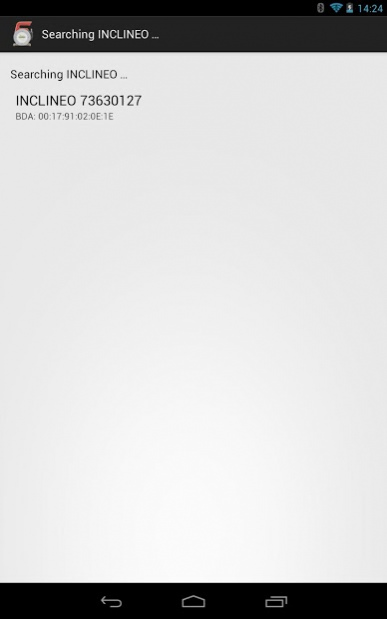
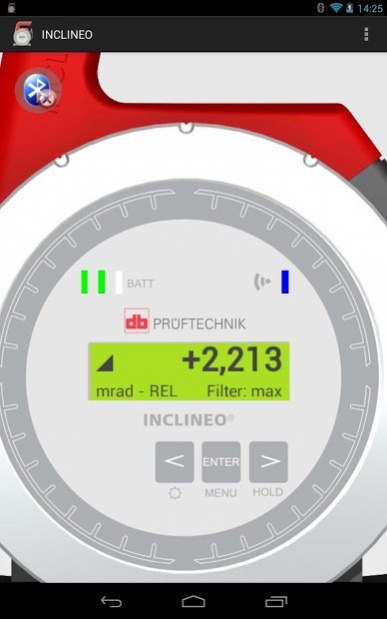

Remote display for INCLINEO
Bluetooth connection and display of current inclination.
Bluetooth PIN for INCLINEO: blue
You might need to enable "PIN contains letters or symbols" before typing the PIN.
On some phones you need to pair the INCLINEO in the bluetooth wireless & network settings before connecting to the INCLINEO is possible (e.g. Motorola Defy)
Advantages at a glance:
- High precision electronic inclinometer for measurement of absolute or relative angles
- Rotatable housing for measuring on surfaces with steep inclination
- Outer ring with 30° marks and 5° scale on housing with integrated fine adjustment screw
- Advanced filtering functions
For more information on INCLINEO Remote Display App. please visit:
http://www.pruftechnik.com/products/alignment-systems-for-rotating-machinery/alignment-systems-apps/inclineo-remote-display-app.html
For more information on INCLINEO please visit:
http://www.pruftechnik.com/products/alignment-systems-for-rotating-machinery/geometrical-measurement-systems/inclineo.html
About INCLINEO remote display
The company that develops INCLINEO remote display is PRÜFTECHNIK Dieter Busch AG. The latest version released by its developer is 1.3.1.
To install INCLINEO remote display on your Android device, just click the green Continue To App button above to start the installation process. The app is listed on our website since 2013-12-04 and was downloaded 13 times. We have already checked if the download link is safe, however for your own protection we recommend that you scan the downloaded app with your antivirus. Your antivirus may detect the INCLINEO remote display as malware as malware if the download link to com.pruftechnik.inclineo is broken.
How to install INCLINEO remote display on your Android device:
- Click on the Continue To App button on our website. This will redirect you to Google Play.
- Once the INCLINEO remote display is shown in the Google Play listing of your Android device, you can start its download and installation. Tap on the Install button located below the search bar and to the right of the app icon.
- A pop-up window with the permissions required by INCLINEO remote display will be shown. Click on Accept to continue the process.
- INCLINEO remote display will be downloaded onto your device, displaying a progress. Once the download completes, the installation will start and you'll get a notification after the installation is finished.
Program Details
System requirements
Download information
Pricing
Version History
version 1.3.1
posted on 2013-12-04
Verison 1.3
- Simple "Demo Mode" selection
Verison 1.1
- Better display zoom on small devices
- Fixed bluetooth connection issues on older devices
